A photography robot can move a camera, repeat a shot, or keep a subject in frame without a person holding the rig. That can help with repeatable product images and difficult angles, but it also adds motors, software, setup time, and new safety questions.
- Repeatable camera movement can keep a sequence consistent.
- Remote operation can put the camera in places that are awkward or unsafe for a person.
- Privacy, motion control, and repair costs still need human decisions.
Where the robot helps
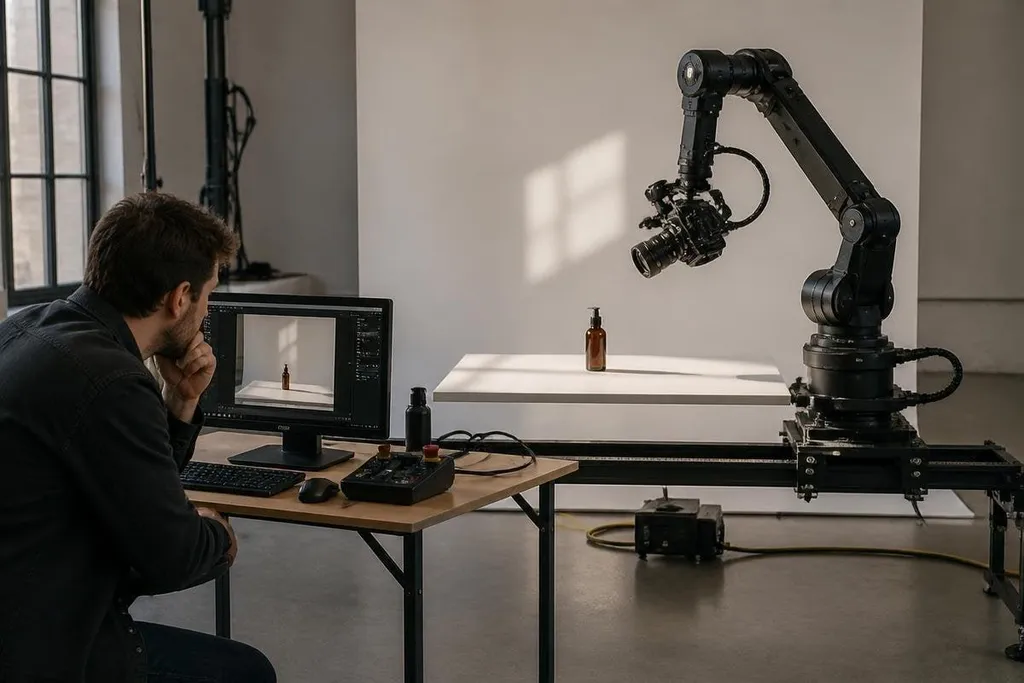
A robotic camera arm can repeat the same path across several takes. That matters when a studio needs matching product images, stop-motion frames, or controlled motion for a technical demonstration. The robot follows stored positions instead of relying on a person to repeat the movement by hand.
Pan-tilt-zoom systems work in a different way. They turn and aim a camera from a fixed mount, which can help one operator watch a wide area or adjust a shot from a control station. The benefit comes from reach and repeatability, not from removing the need for a camera operator.
Mobile platforms can carry cameras through spaces where a tripod would block movement. A small wheeled robot may inspect a building interior, record a process, or move through a set while the operator stays outside the shot.
The result depends on floor condition, lighting, wireless connection, and the platform's ability to stop safely.
A camera robot’s purchase price covers more than the arm and camera mount. Robot24 can connect that price to the operator, control method, and safety setup before you calculate the cost of a finished shot.
The costs behind the shot
A robot adds more than a camera mount. You may need a controller, batteries, charging space, software, safety barriers, and a technician who can set the system up. A motorized arm also needs room to move, and its safe working area can limit where people stand.
Repeatability has a price. If the stored path is wrong, the robot can repeat the same mistake until someone stops it. A camera that moves too close to a person, light, cable, or piece of set equipment can cause damage even when the motion looks slow on screen.
Maintenance can also interrupt a shoot. Motors, gears, wheels, batteries, and cables all wear. A manual rig may be quicker for one short setup, while a robot makes more sense when the same movement will run many times.
I’d skip a photography robot for a one-off shoot unless the camera must reach a place people can’t safely reach.
Privacy and control
From a low angle, behind a barrier, or from a position that a person could not hold for long, the camera can record in ways people may not expect. That changes how people experience the camera. A subject may know a camera is present but still miss its range of motion.
Indoor use raises practical privacy questions. The operator should know where the camera points, when recording starts, where files are stored, and who can view them. Remote control adds another concern: a weak connection or unclear handoff can leave the robot moving while people assume it is stopped.
Autonomous tracking needs extra care. Software may follow a face, body, or object, but it can lose the subject when lighting changes or another person crosses the frame. A human operator still needs a clear stop control and a way to take over.
A buying and setup checklist
Before choosing a photography robot, check these points:
- Shot repeatability: Confirm that the system can store and repeat the camera path you need.
- Payload and balance: Check the camera, lens, battery, monitor, and support weight together.
- Working space: Mark the full movement area, including cables and people walking nearby.
- Stop controls: Test the emergency stop and manual takeover before recording.
- Power and repair: Ask how long batteries run and which parts a local technician can replace.
- Data handling: Set rules for recording, storage, access, and deletion before the first shoot.
The case for one is strongest when repeatable movement, remote reach, or safer camera placement matters more than quick setup. If the job needs one angle for one session, a manual rig will often take less time and leave fewer systems to manage.